





Introduction
If you are searching for an "online Access database," you are usually trying to do one of three things: use Microsoft Access in a browser, share an Access database with a remote team, or move an Access database into a true cloud app.
The short answer is that Microsoft Access itself is a desktop application, so it does not run natively in a web browser. But you do have practical options, depending on what "online" needs to mean for your situation. This guide breaks down the best paths, when to use each one, and what to avoid.
Quick Answer: Can you run Access online?
-
Directly in a browser? No. Access is not a browser app.
-
Via Remote Desktop? Yes. You can run Access on a Windows machine in the cloud and remote into it.
-
With cloud data? Yes. You can keep Access as the desktop front end and move the data to a cloud database like Azure SQL.
-
As a true web app? Not with Access. If you want a mobile-friendly app that runs in Chrome/Safari with logins and portals, you need a web database platform.
What "Online Access Database" Usually Means
Most searchers want one of the options below. Here is the best fit for each:
1. "I want to keep Access, but use it from home"
Best fit: Cloud Desktop Hosting
If you have a mature Access application with lots of forms, reports, and VBA that you do not want to rebuild, hosting is often the fastest route.
-
How it works: Your Access app runs on a Windows computer in the cloud. You and your team connect to that machine and use Access normally.
-
Pros: Minimal changes, works with VBA, feels like Access.
-
Cons: Not a true browser app, not mobile-friendly, typically priced per user, performance depends on your connection.
2. "I want to share data safely with multiple users"
Best fit: Split Database (Access Front-End + SQL Back-End)
A single .accdb file shared through sync tools (OneDrive, Google Drive, Dropbox) is a common source of instability and corruption in multi-user setups.
-
How it works: You move the tables into a server database (often SQL Server or Azure SQL) and link them back into Access. Your users still use Access forms, but the data lives in a more reliable back end.
-
Pros: Better reliability, better concurrency, backups and server controls.
-
Cons: Users still need Access installed, still not browser-based, requires some database setup.
3. "I need a real web app that works on phones and browsers"
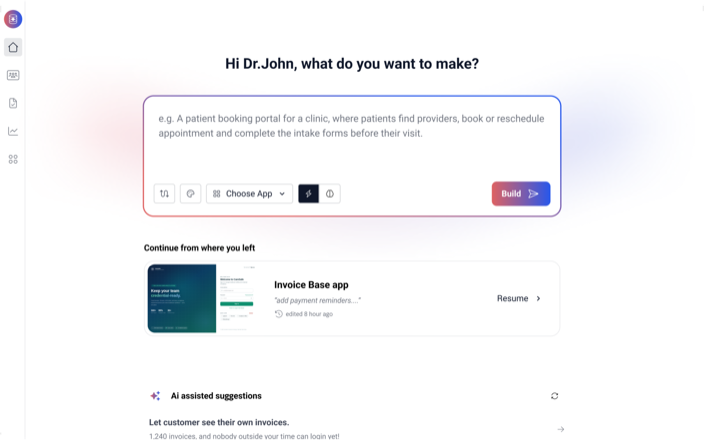
Best fit: Web Database Platform (Tadabase)
If you need clients to log in, field staff to use mobile forms, or dashboards that work in any browser, Access is not the right tool for the interface.
-
How it works: You migrate the data (typically via export to Excel/CSV) into a platform like Tadabase, then build your forms, tables, dashboards, and portals with a web-first builder.
-
Pros: Runs in any browser, mobile-friendly, secure logins and portals, easier sharing with external users, built-in workflows (email, PDFs, automations).
-
Cons: You will recreate your UI and logic, since Access forms and VBA do not "convert" directly.
The "Access Web App" Confusion: A History
You may find older articles about "publishing Access to the web" using SharePoint and Access Web Apps / Access Services. That approach has been retired and is not a reliable path for new projects.
Microsoft’s official stance for years has been to encourage users to move toward Power Apps or independent cloud platforms for web-based needs. Following old tutorials on "publishing to SharePoint" will likely lead to dead ends or unsupported configurations.
Summary of Options
| Feature | Hosted Access (Remote Desktop) | Access + SQL Back End | Web Database App (Tadabase) |
| Interface | Access desktop (remote) | Access desktop (local) | Web browser (native) |
| Mobile Friendly | No | No | Yes |
| External Users | Hard | Hard | Straightforward |
| Migration Effort | Low | Medium | Medium |
| Long-term Scalability | Medium | High | High |
Frequently Asked Questions
Is there a free online version of Microsoft Access?
No browser-based version exists. Access is a desktop product that comes with certain Microsoft 365 plans or as a standalone Office license. If you only need to view an .mdb or .accdb, some online tools can open files and export data, but they are not for running an Access application.
Can I put an Access database on OneDrive or Google Drive?
You can store it there, but using a synced folder for multi-user editing is a common cause of corruption. If multiple people need access, use a split database approach or move the data to a server back end.
How do I convert my Access database to a web app?
You cannot directly convert Access forms or VBA into a browser app. The typical process is:
-
Export your Access tables to CSV/Excel.
-
Import the file into Tadabase.
-
Rebuild the UI (forms, tables, dashboards) using a web builder.
-
Invite users via email.
Ready to move Access to the web?
If you want a real browser app instead of remote desktop workarounds, Tadabase lets you import your Access data and rebuild the workflow as a secure web app with logins, portals, automation, and dashboards.