






Introduction
Time tracking sounds simple until you try to do it in a real consulting week.
You have calls, deep work, quick client requests, internal admin, and five little “can you just…” tasks that somehow turn into two hours. If your tool is clunky, you stop using it. If it is too lightweight, you end up with messy entries, missed billables, and awkward invoices that do not match what the client remembers.
This guide is for consultants and small consulting teams who want a time tracking tool that actually holds up: fast capture, clean billable vs non-billable, easy approvals, client-ready reporting, and painless invoicing. We will cover what matters most, the common tool categories, and how to choose based on how you run projects (hourly, fixed-fee, retainers, or a mix).
TL;DR
- If you need a simple, reliable timer and client-ready reports: start with Toggl Track or Clockify.
- If you invoice clients and want time-to-invoice in one place: Harvest is a strong fit.
- If you want automatic time capture so you log less manually: Memtime is built for that workflow.
- If you run a consulting firm and need profitability, resourcing, and project ops: Productive is built for agencies and services teams.
- If your workflow is not “standard consulting” (approvals, role-based rules, client portals, custom data, compliance): build your own tracking system on Tadabase.
Why consultants need time tracking software (not just a timer)
Consultants do not track time because it is fun. They track time because it directly affects revenue, scope control, and client trust. A good system helps you answer three questions fast:
- What did we do, for whom, and for how long?
- What is billable vs non-billable, and what is eating margin?
- What can we invoice today without chasing people for logs?
The problem is that “time tracking” can mean very different things depending on your setup. A solo consultant needs speed and clean reporting. A small firm needs approvals, roles, budgets, and profitability views. That is why the best tool is usually the one that matches your operating model, not the one with the longest feature list.
What to look for in time tracking software for consultants
1) How time gets captured
- Timer-first: You press start/stop while you work. Great for accuracy if you remember to use it.
- Timesheet-first: You enter time after the fact. Great for teams that work in blocks and need approvals.
- Automatic capture: The tool records activity in the background so you can confirm and categorize later. This reduces “forgot to track” problems.
2) Billing, rates, and invoicing
If you invoice clients, rate handling is not optional. Look for:
- multiple bill rates (by person, project, client, or task type)
- rounding rules (6-minute increments, 15-minute minimums, etc.)
- expense tracking (if you bill expenses)
- time-to-invoice workflow (draft invoice from approved time)
3) Reporting that clients actually understand
Clients rarely want to see raw timers. They want context: what happened, why it mattered, and how it maps to the engagement. The best tools make it easy to produce client-friendly summaries and exportable reports.
4) Team controls (if you are more than one person)
- approvals (so billable time is reviewed before invoicing)
- budgets and burn (so scope creep is visible early)
- permissions (who can edit time, rates, invoices)
- audit history (especially useful for client disputes)
5) Integrations and workflow fit
Most consulting teams already have tools for accounting, project management, and CRM. Your time tracking system should not create another silo. If a tool does not match your workflow, your team will “work around it” and data quality drops.
The best time tracking software for consultants (by use case)
Harvest: Best for time-to-invoice (consultants who bill clients)
Harvest is commonly chosen when you want time tracking tied closely to invoicing and reporting. If your workflow is “track time → approve → invoice,” this style of tool tends to fit well. Harvest also publishes guidance around time entry and how time feeds invoicing and payroll workflows.
Good fit if you:
- bill hourly and want clean invoicing workflows
- need straightforward reports for clients
- want a polished experience without heavy configuration
Watch-outs:
- if you need highly custom approval logic or portal workflows, you may outgrow an off-the-shelf model
Sources: Harvest’s own materials explain time entry as foundational to invoicing and related workflows. :contentReference[oaicite:1]{index=1}
Toggl Track: Best simple timer experience (solo consultants and small teams)
Toggl Track positions itself as a consultant-friendly time tracking option with a focus on ease of tracking and reporting. It is a strong starting point when adoption matters more than deep back-office workflows.
Good fit if you:
- need a fast timer that people will actually use
- want simple reporting with minimal setup
- do not need complex approvals and billing rules
Source: Toggl Track’s consultant-focused page emphasizes time tracking for consultants and the core workflow.
Clockify: Best free starting point (especially for teams)
Clockify is widely used as a “start here” option because it offers a free tier and a straightforward tracking workflow. If your main goal is to stop using spreadsheets and start capturing hours consistently, it can be a practical first step.
Good fit if you:
- want a low-friction way to start tracking time
- need a timesheet-and-timer style workflow
- are testing adoption before investing in more advanced systems
Source: Clockify’s own help content describes the Clockify product as free time tracking software.
Memtime: Best for automatic capture (less manual logging)
Memtime is built around the idea that time tracking should be automatic and private-first, so you spend less time managing timers and more time confirming and categorizing work. This is a good fit when “I forgot to track” is the recurring failure mode.
Good fit if you:
- do knowledge work all day and forget timers
- want automatic timelines you can convert into time entries
- need a workflow that reduces admin overhead
Source: Memtime’s consultant page describes automated time tracking designed for consultants.
Productive: Best for consulting firms that care about profitability
Productive is aimed at services teams that need more than time tracking, including broader operations like utilization, profitability, and team planning. If you are running a small firm and need time tracking to connect to margin and delivery, this category is often the right direction.
Good fit if you:
- run multiple projects and need profitability visibility
- want time tracking connected to project delivery operations
- need more structure than a basic timer tool
Source: Productive’s consultant-focused content positions it as an all-in-one option for time tracking and broader services operations. :contentReference[oaicite:5]{index=5}
When off-the-shelf time trackers stop fitting
Most time tracking products assume a fairly standard services workflow. That works until your business has rules like:
- different approval paths based on client, project, or rate threshold
- role-based restrictions on who can edit time after submission
- required notes, categories, or deliverable mapping for billing
- custom rounding rules by client
- client portals where clients can view logs, approvals, and billing status
- compliance requirements or audit trails beyond what a tracker provides
At that point, teams either live with messy workarounds, or they build a system that matches the way they actually operate.
How to build a consultant time tracking system on Tadabase
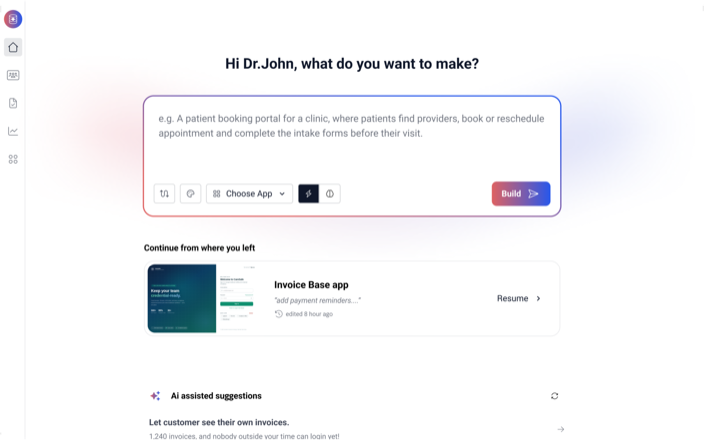
If your workflow is custom, Tadabase lets you build a time tracking system that matches your process, with the permissions, automations, and portals you need. Instead of forcing your team into someone else’s model, you define the model.
A practical “consulting time tracking” build (what to include)
Core tables
- Clients (contacts, billing terms, default rates, rounding rules)
- Projects (scope, budget, billing model, start/end dates)
- People (roles, bill rates, permissions)
- Time Entries (date, duration, client, project, category, notes, billable flag)
- Approvals (submitted, approved, rejected, who approved, when, comments)
- Invoices (invoice period, included entries, totals, export status)
Views your team will actually use
- Daily time entry screen with fast add and recent projects
- Weekly timesheet for review and submission
- Manager approval queue filtered by team/client
- Project burn dashboard (budget vs actual, billable vs non-billable)
- Utilization view (per person, per week)
- Client-ready report page for exports and sharing
Automation ideas that remove admin
- auto-reminders when time is missing for a day
- lock edits after approval (or after invoicing)
- route approvals based on client or threshold
- generate invoice drafts from approved time entries
- push summaries to email or Slack for weekly review
Client portals (optional, but powerful)
- clients can view time summaries by project and period
- clients can see notes and deliverable mapping
- clients can approve time or sign off on milestones before invoicing
Who should build vs buy
- Buy: you are solo, your billing is simple, and you mainly need timers and clean reports.
- Build: you have a team, approvals, complex billing rules, or you want time tracking tied to a broader internal system (CRM, delivery ops, client portal).
Frequently asked questions
What is the best time tracking software for consultants?
The best option depends on how you operate. For simple tracking and reporting, tools like Toggl Track or Clockify are common starting points. If you need time-to-invoice workflows, Harvest is often a strong fit. If you need operations and profitability views across a services team, Productive is aimed at that use case.
Do consultants need automatic time tracking?
Not always, but it helps when manual logging is the failure point. If you regularly forget to run timers or fill timesheets, automatic capture tools can reduce missed billable time and reduce end-of-week cleanup.
Should clients see detailed time logs?
Usually, clients want clarity, not raw data. The best approach is often a summary that maps time to outcomes, with optional detail available if they request it.
When should a consulting firm build its own time tracking system?
Build when your requirements are specific: approvals, roles, custom rate rules, required notes, audit trails, client portals, or when time tracking needs to connect tightly to the rest of your internal workflow.
Conclusion
Time tracking tools fall into a few clear buckets: simple timers, invoicing-first trackers, firm operations platforms, and automatic capture. If your consulting workflow is standard, picking a tool that your team will actually use matters more than chasing every feature. But if your business has real rules and process, the best “time tracking software” is often a system you build to match how you deliver work. That is where Tadabase fits: you can build a time tracking, approvals, and client reporting workflow that matches your consulting business instead of working around someone else’s defaults.